
XCAD
UX/UI design for an agricultural irrigation platform, bringing client management, pivot configuration, parts, and reporting into one cohesive experience.
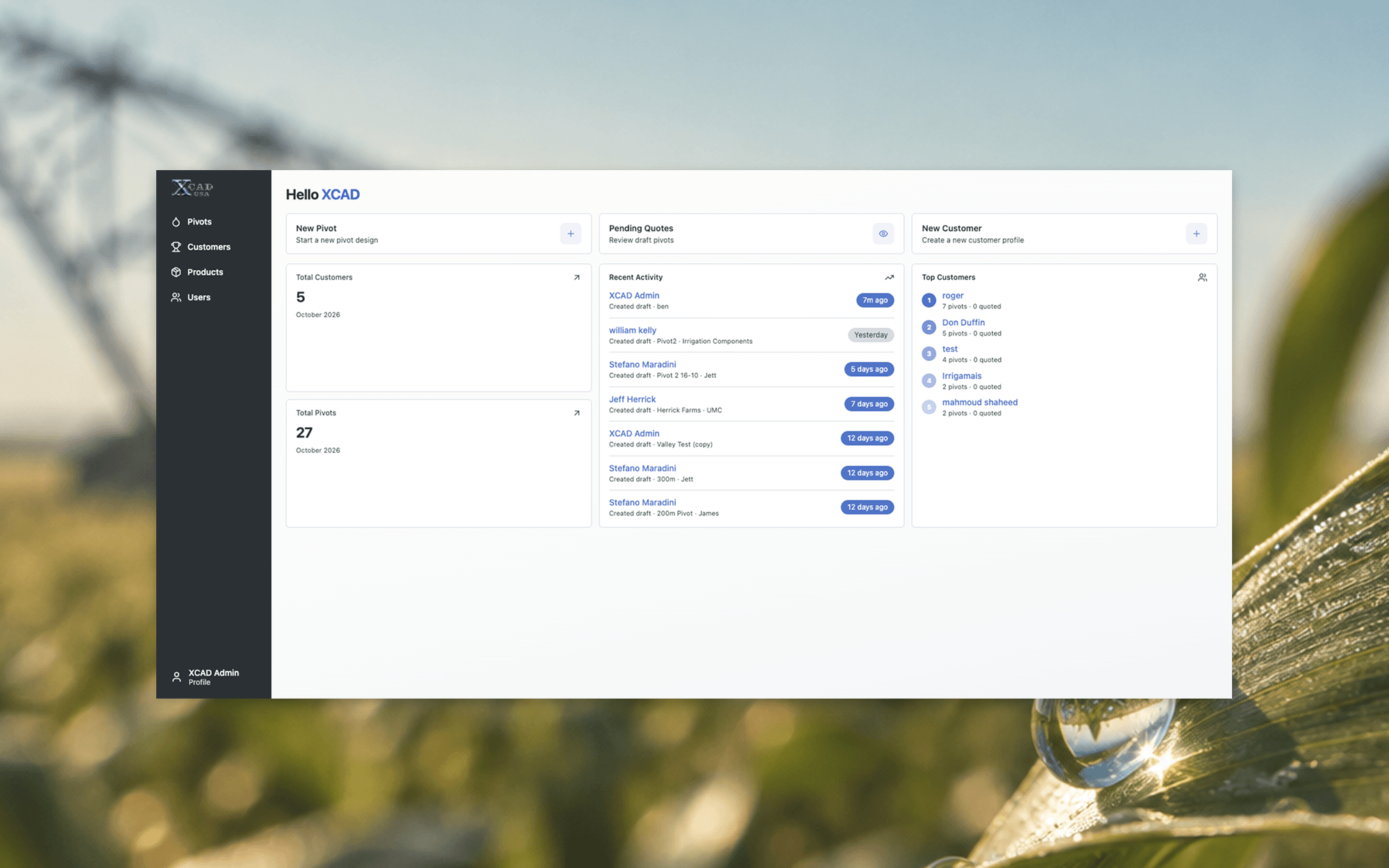
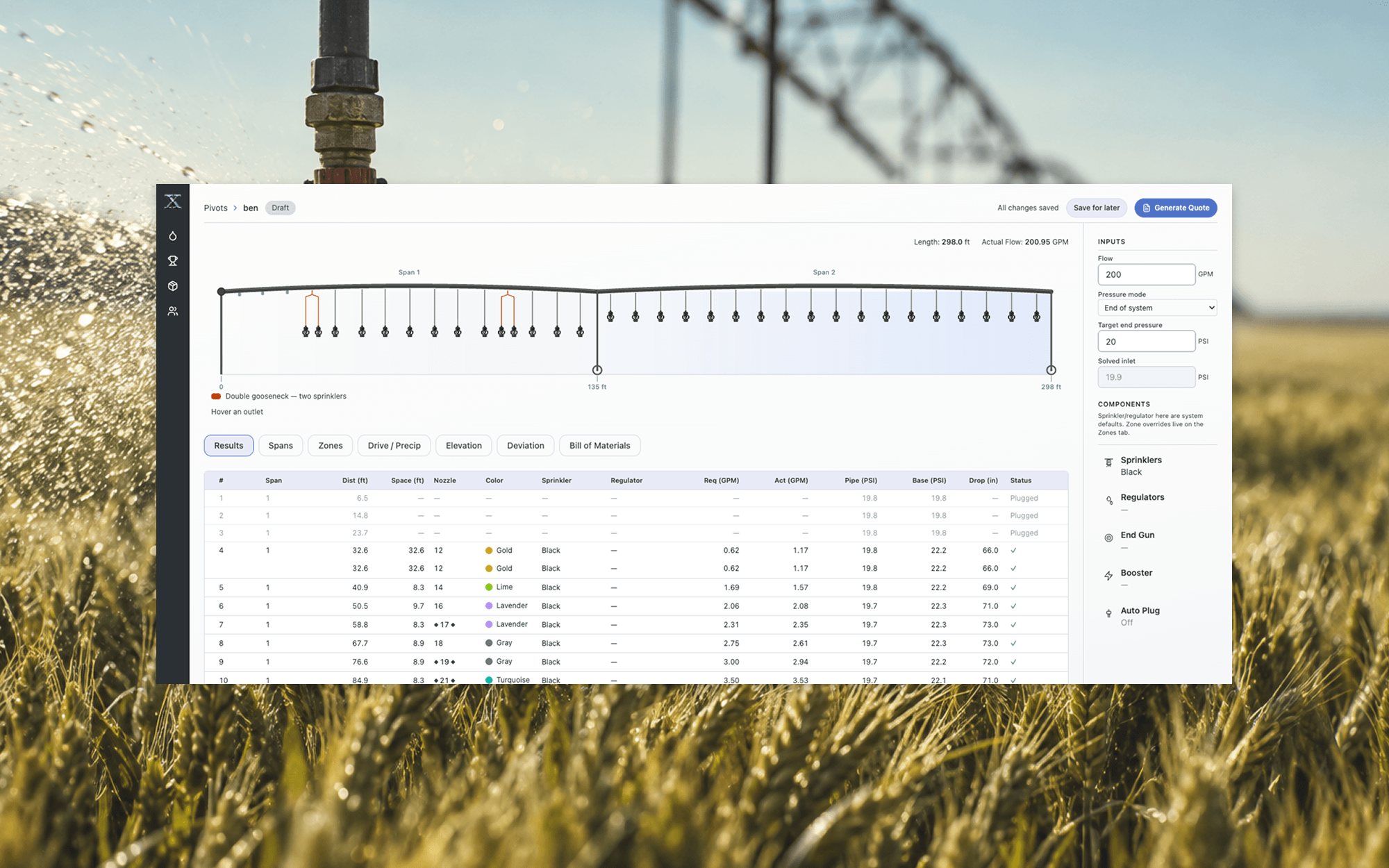
XCAD’s Spanwork is a dealer-facing platform designed to help agricultural irrigation teams manage their day-to-day work. The challenge was organizing a lot of technical information into an interface that felt clear, practical, and easy to navigate, without sacrificing the detail dealers need to do their jobs.
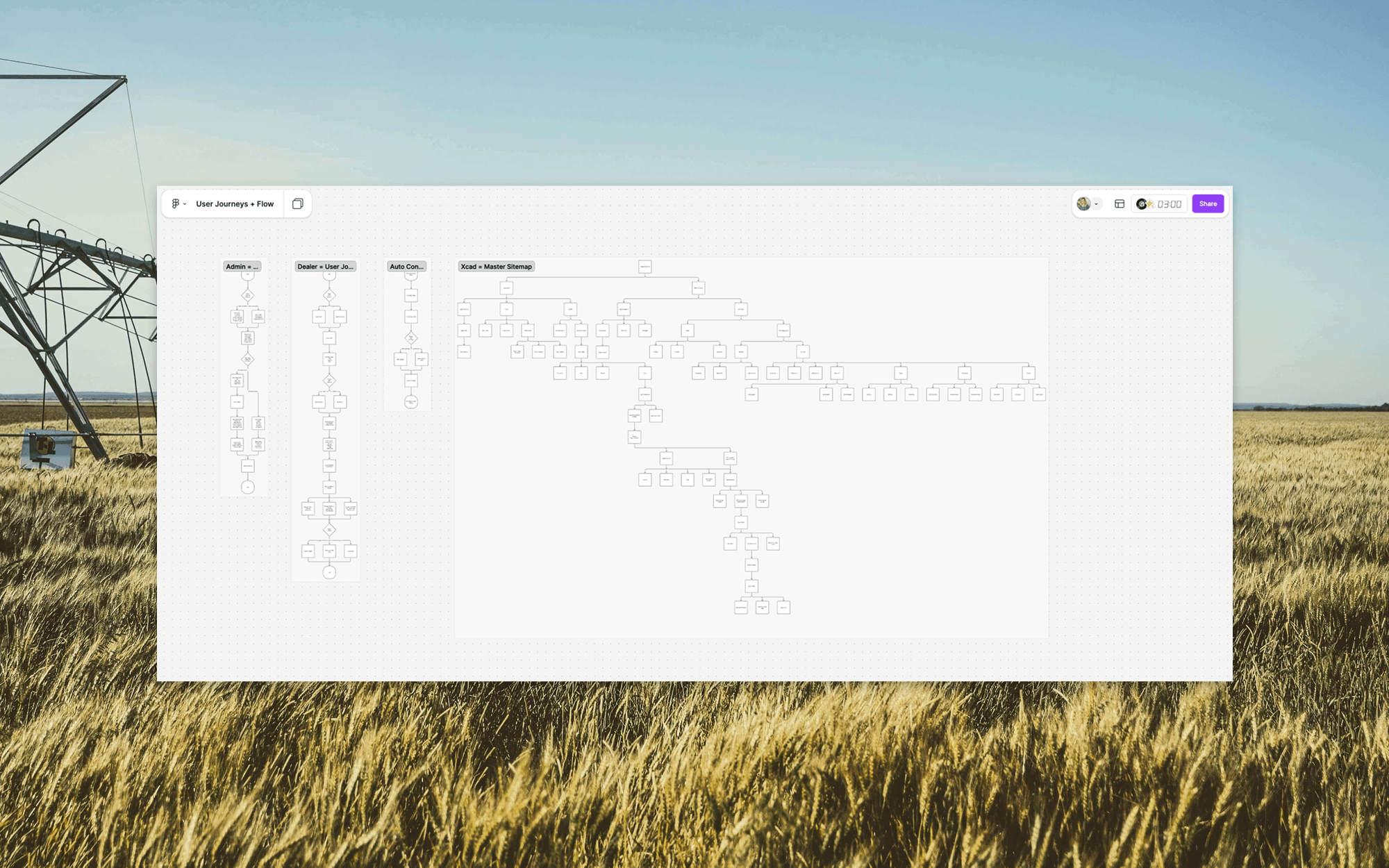
The experience was organized around five primary areas: Dashboard, Dealers, Pivots, Parts, and Reports. A persistent sidebar provides consistent navigation, expanding on the dashboard for orientation and collapsing on more task-focused screens to make room for detailed information. Breadcrumbs help users keep track of where they are, while familiar terminology makes the system feel more intuitive.
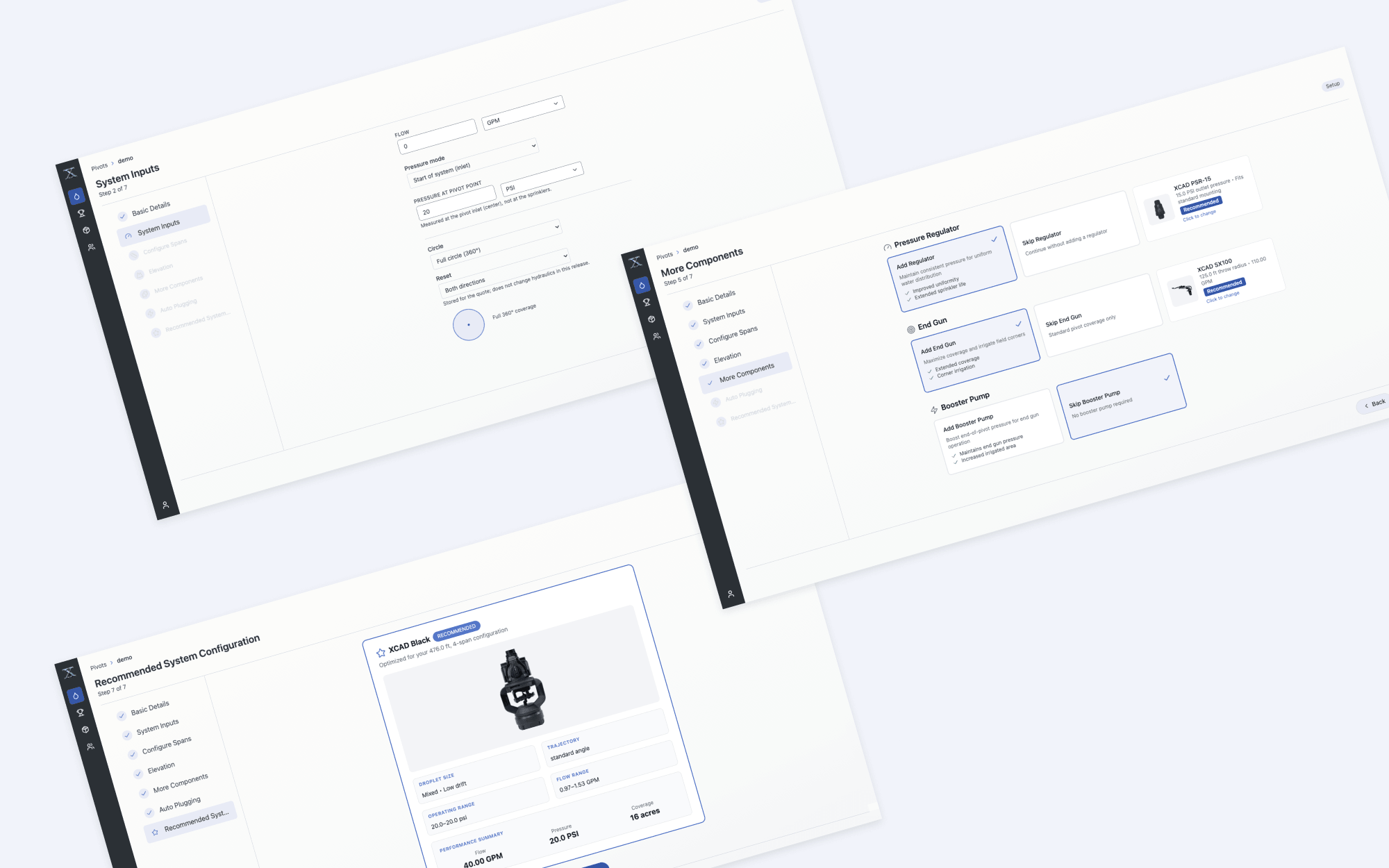
One of the more involved UX challenges was the New Pivot Wizard. Rather than presenting a long, technical form, I broke the process into smaller, more manageable decisions. By capturing variables like system length, pressure, and geographic location early in the process, the wizard could automate some of the more intricate configuration decisions later on. The goal was to automate what we could, provide enough guidance to reduce confusion and potential errors, and still leave room for the expertise and flexibility dealers bring to each project.
The visual system was intentionally restrained, using warm neutrals, dark navigation, and purposeful blue accents to establish hierarchy without competing with the information heavy graphs. I created a component showcase to keep interface patterns consistent as the design developed.
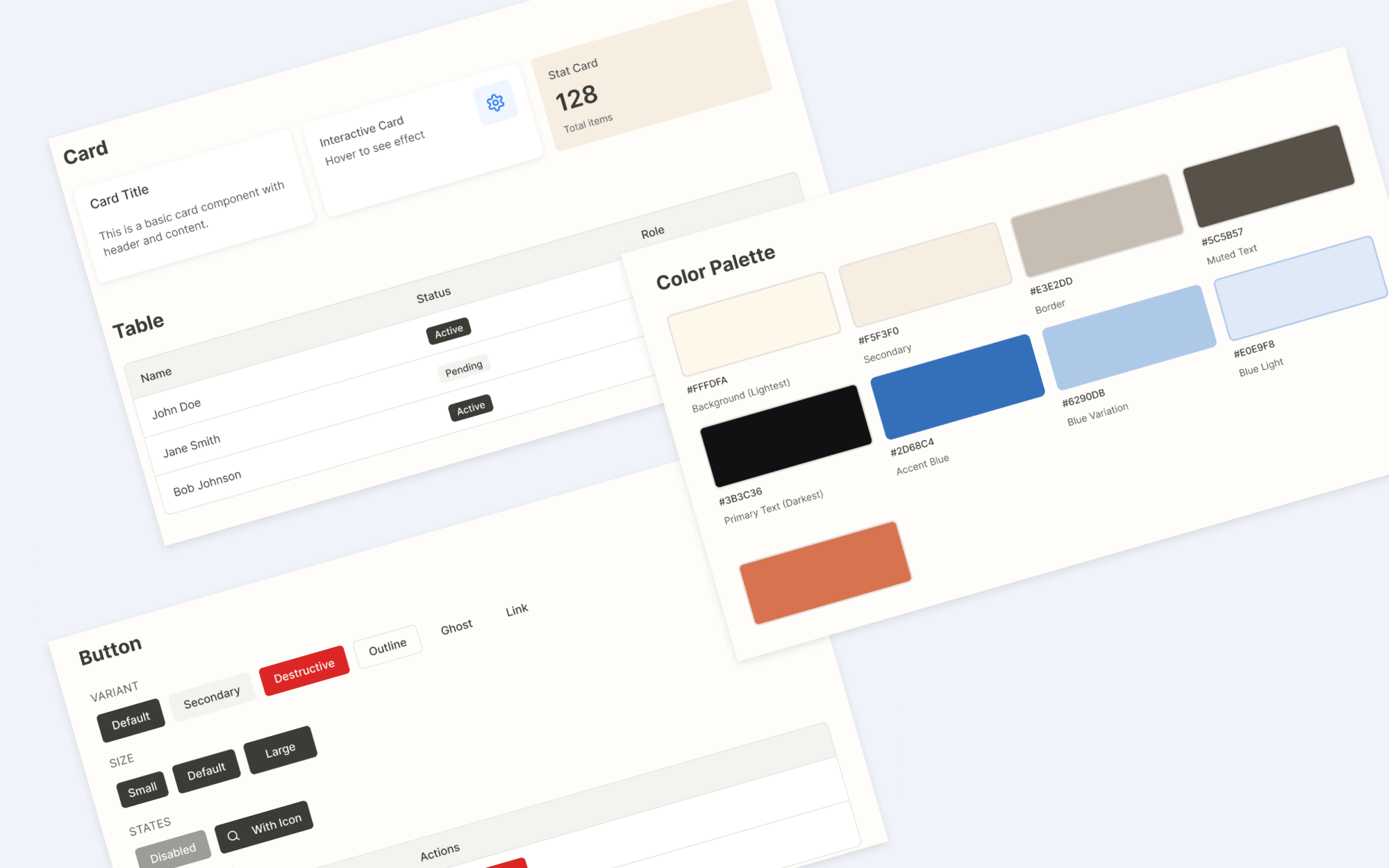
The result was a cohesive interface designed to make complex work more manageable, giving dealers a clearer path through the tasks they already know how to do.